SQE1
Materials
CLIP's and OUP's textbooks on one shelf, and reading in the app.
Materials is one shelf for CLIP's textbooks and OUP's, filed under FLK1 and FLK2. Use the tabs to see all of it, OUP's only or CLIP's only.
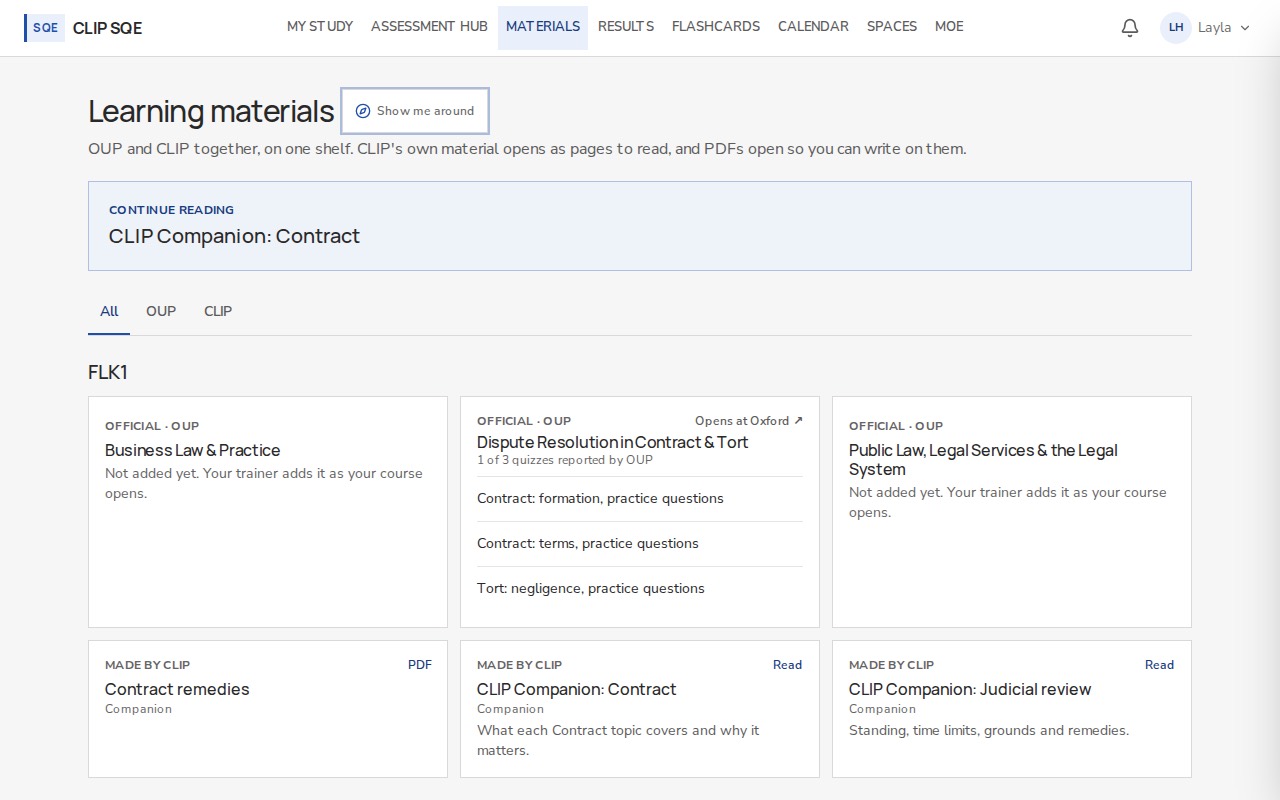
OUP's materials open in OUP's own pages. CLIP's open here, to read on screen.
Reading in the app
CLIP's reading pages open in the reader. It keeps your place and lists the sections, with your notes beside the text.
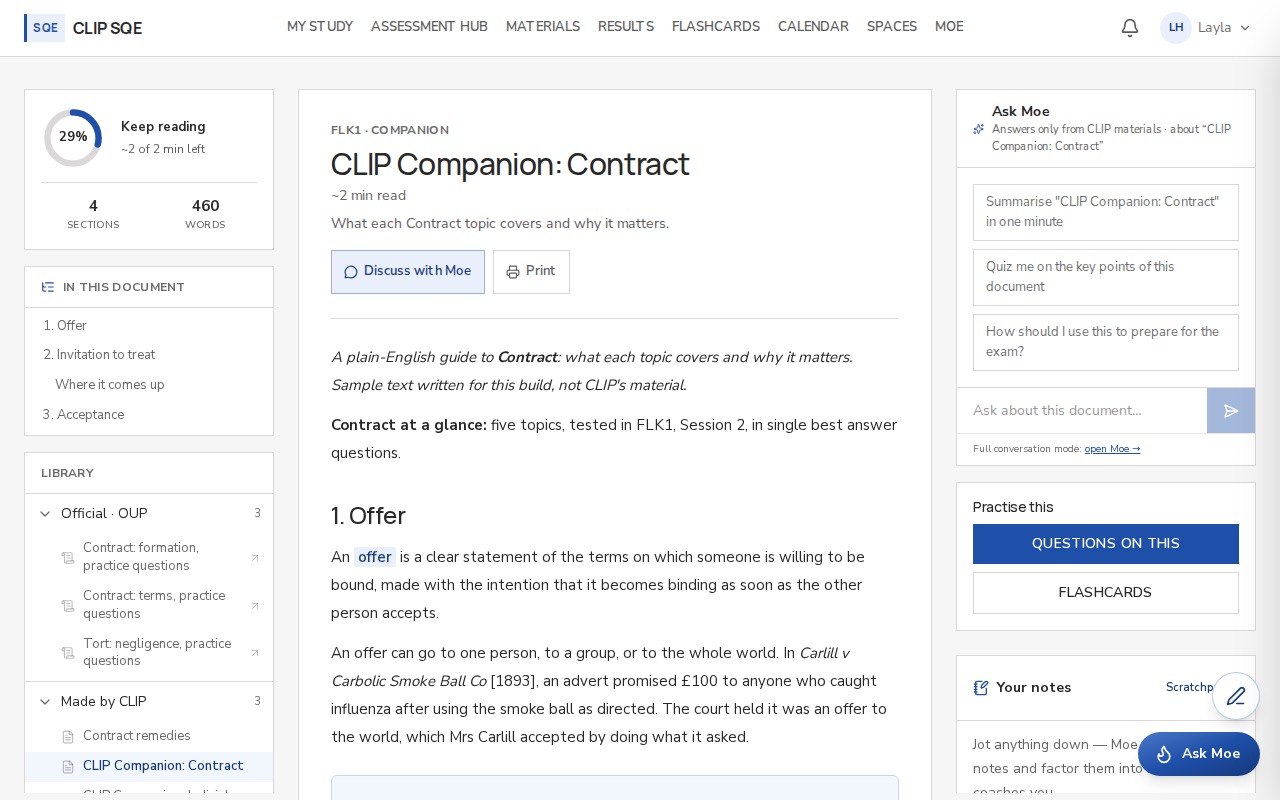
Progress, sections and notes stay with the page you're reading.
Open a reading page from Materials.
Use In this document to jump to a section.
Select any passage to capture it to your notes, or make a flashcard from it.
Write your own notes beside the text. They save as you go.
Slides from your classes
Your trainers upload their slides and class materials here, filed on the paper they belong to. New ones appear as soon as they're uploaded.
OUP's books
OUP's modules open in OUP's own pages. Your name, email and course are sent to OUP so it can sign you in and return your score.