Your study
Your first sign-in, the first-time tour and your home page.
Everything you need is in one menu: My study, Assessment hub, Materials, Results, Flashcards, Calendar, Spaces and Moe.
Your first sign-in
The first time you sign in, you choose the SQE1 sitting you're aiming for. You can change it later.
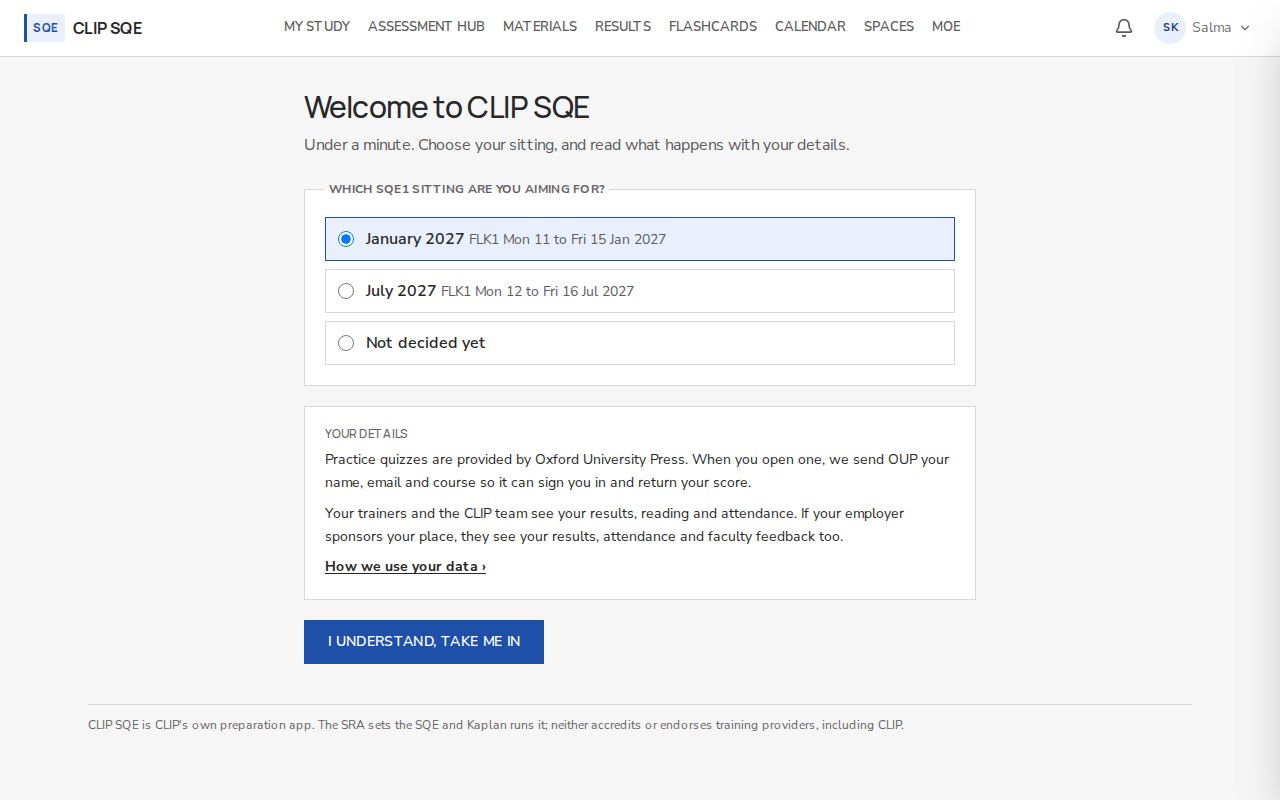
Your sitting sets the countdown on your home page. The notice explains who can see your results.
My study
Your home page answers three questions: what to work on next, when your next class is, and how long until your sitting.
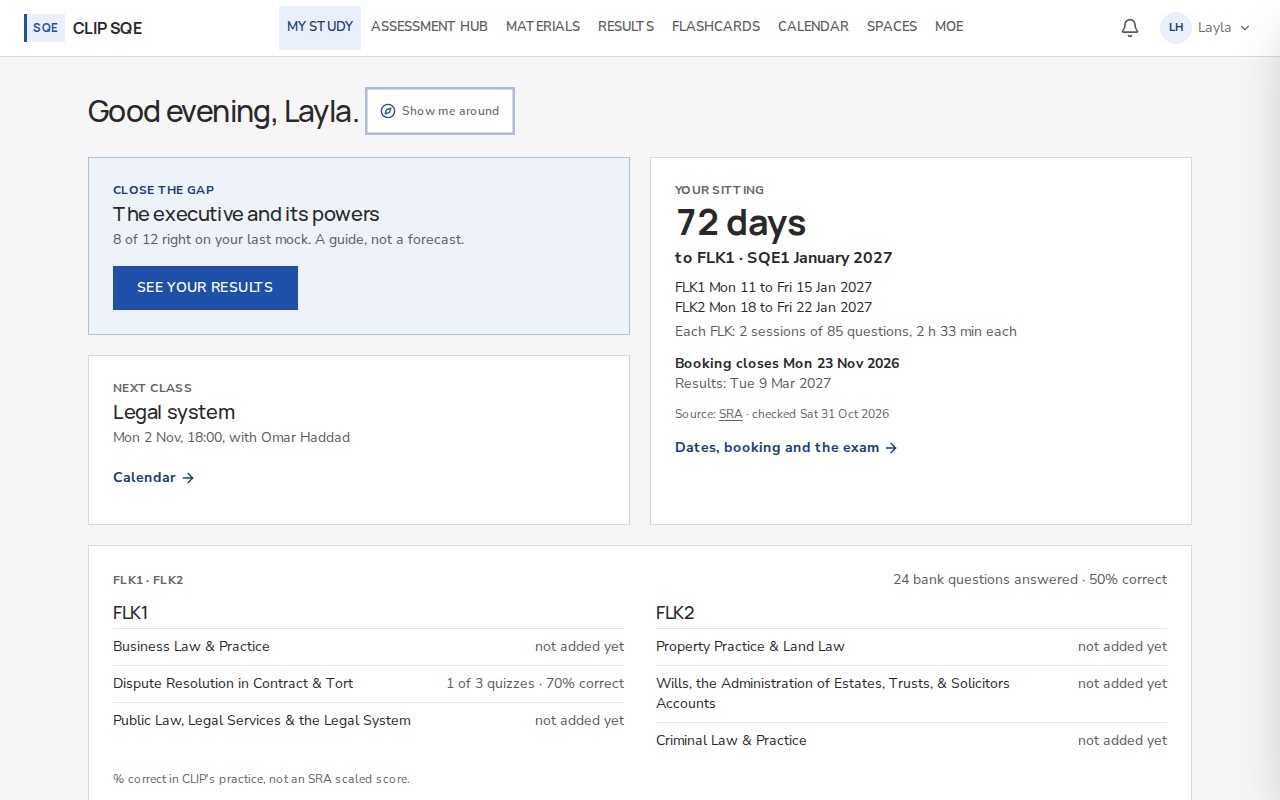
Close the gap points to your weakest topic from your last mock. It's a guide, not a forecast.
The dates under Your sitting come from the SRA's own page, and the page shows when they were last checked. Dates, booking and the exam has the full detail. You book the exam with Kaplan, not here.
Finding your way around
The first time you reach your home page, a short tour points at each item in the menu. You can run it again from your account menu, under How it works. Most pages also have Show me around at the top, which walks you through that page step by step.
| Menu item | What it's for |
|---|---|
| My study | What to do next, your next class, your sitting |
| Assessment hub | Mock exams and question banks |
| Materials | CLIP's and OUP's textbooks |
| Results | Your scores, pace and topics |
| Flashcards | CLIP's decks and your own |
| Calendar and Spaces | Your classes, and where to talk |
| Moe | Your study companion |