SQE1 for staff
Clients and cohorts
Group students, and give a client their read-only page.
Admins only. Open CLIP team → Clients and cohorts.
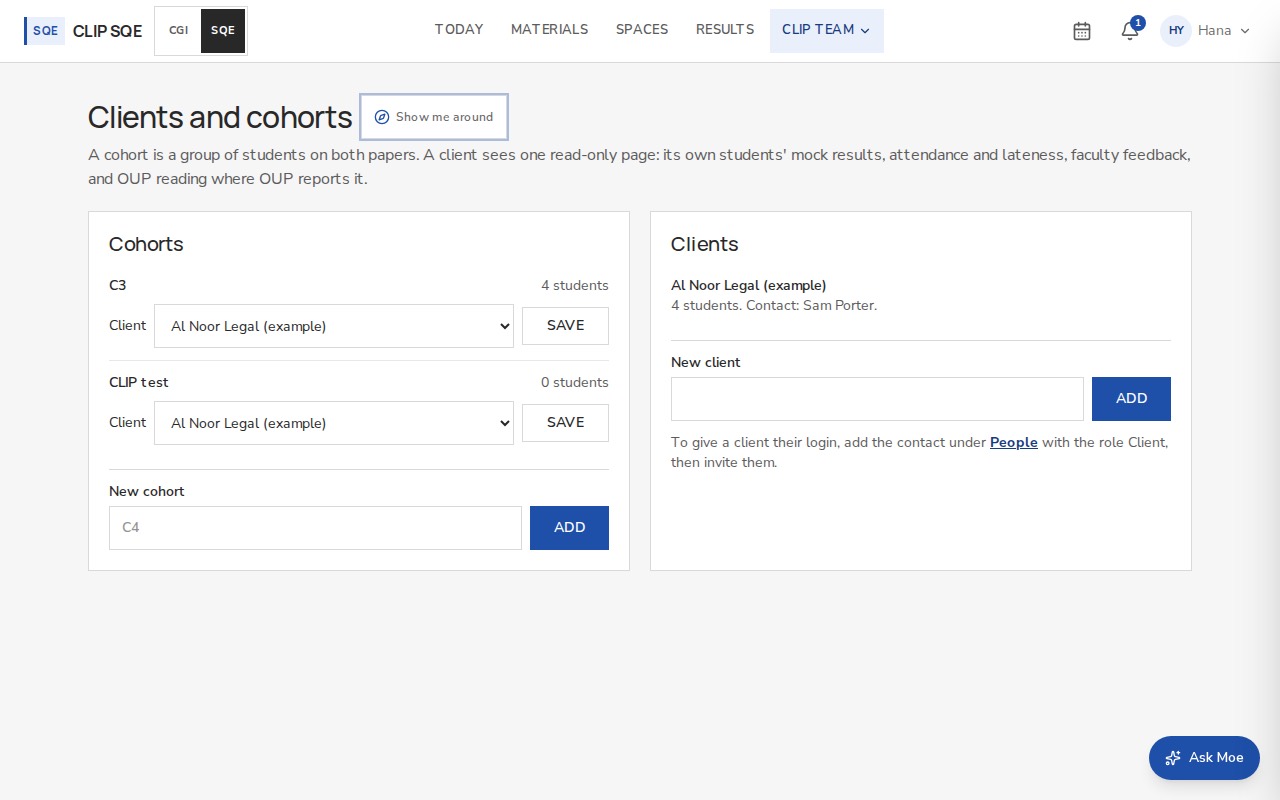
Cohorts
A cohort is a group of students across both papers. Type a name such as C4 and press Add. Choose the cohort when you add a student, or change it in their row under People.
Clients
Add the client's name under Clients.
On the cohort's row, choose the client and press Save. Its students now show on that client's page, and only theirs.
Under People, add the client's contact with the role Client, choose the client, and invite them.
The contact signs in to one read-only page. Telling students that their employer can see their results is for CLIP, under its contracts; the platform shows no notice of its own.