SQE1 for staff
The CLIP team
Course content: reading pages, manuals, flashcards and team documents.
The CLIP team menu holds what's behind the course. For every format in one place, see Loading content.
Course content
One grid, one row per subject: everything students will see, and what's missing. A grey cell is in place. A cell with a button is waiting for you.
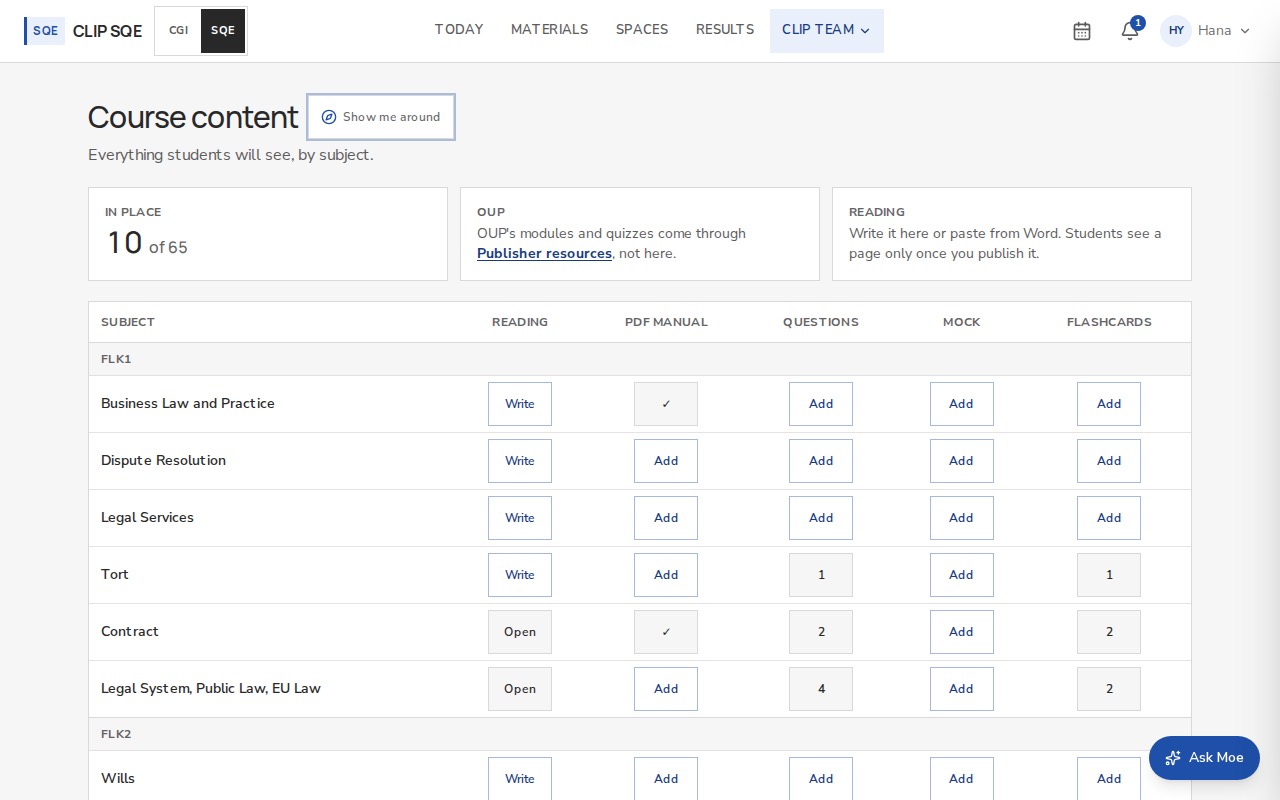
In place at the top counts what's done so far.
| Column | How it gets there |
|---|---|
| Reading | Write opens the editor. Type, or paste from Word. Students see a page only once you publish it, and Moe learns it at the same moment. |
| PDF manual | Add uploads it, filed on that subject. |
| Questions and Mock | Add opens Mock exams or Question banks, where you load them yourselves. |
| Flashcards | Add writes cards for that subject. |
OUP's modules and quizzes come through Publisher resources, not this grid. Admins set this up once CLIP's OUP accounts are in place.
Reading pages, step by step
In Course content, press Write on the subject's row.
Give it a title, then type or paste from Word. Headings become the sections students navigate by.
Press Save draft to keep it to yourselves, or Publish to put it on the students' shelf. Moe learns it at the same moment.
Team documents
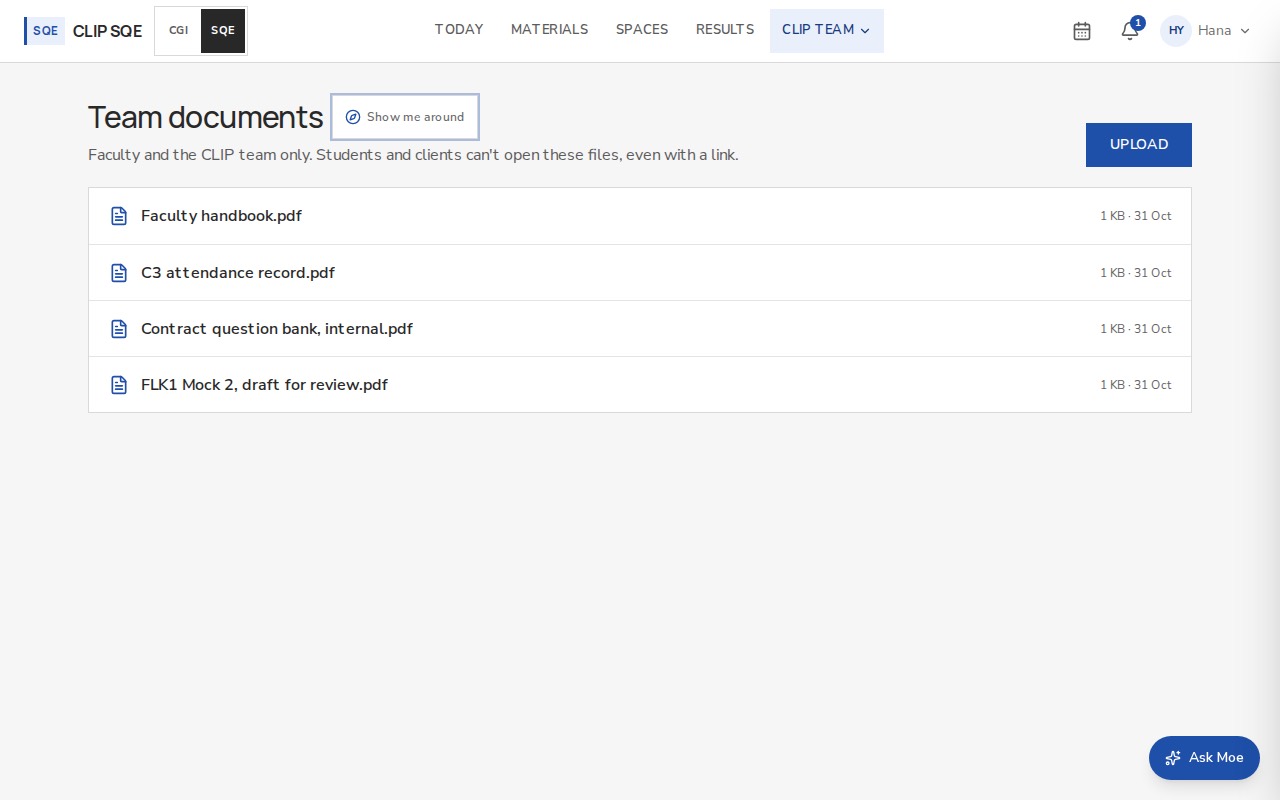
A private folder for the CLIP team: question banks, mock exams, anything internal. Students and clients can't open these files, even with the link.
Team requests
Admins work the support queue here.