Mocks and question banks
Load them yourselves, check them, and open them to students.
Mocks and question banks are yours to load. You don't need the platform team.
The file
Both use the same question template. Open it in Excel, fill in one question a row, and save it as CSV.
| Column | What goes in it |
|---|---|
| subject | One of the 13 subjects, as shown in Course content. Required for a question bank. |
| topic | Your own finer topic, such as Offer and acceptance. Optional. |
| scenario | The facts, if the question has any. |
| question | The lead-in question. |
| a to e | The five options. |
| answer | The letter of the best answer. |
| explanation | Why it's the best answer. Students see this when a mock's time is up, or after each answer in practice. |
A mock can also be CLIP's own HTML mock file, as used for the Public Law mock.
A problem stops the load
If a row has a problem, nothing loads, and you're told which row and why. Fix it and upload it again.
Loading a mock
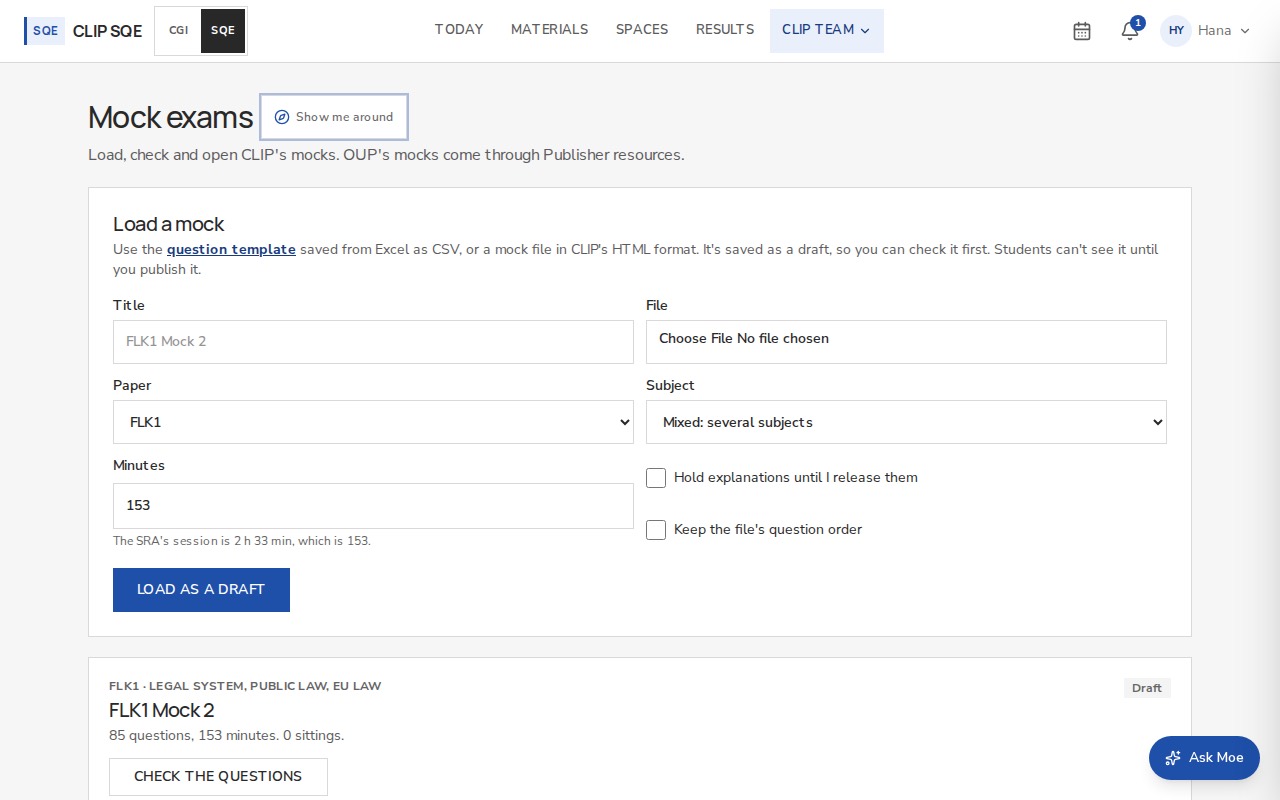
Each mock shows its status, questions and sittings. Close it when you're done: results stay.
Once a student has sat a paper, its questions are locked, so everyone's results stay comparable. To change it after that, load a new version.
Holding back the explanations
Explanations open when each student's exam time is up (2 hours 33 minutes from when they start), even if they finish early. If a group sits at different times, tick Hold explanations until I release them when you load it, then press Release explanations when everyone has finished.
Loading a question bank
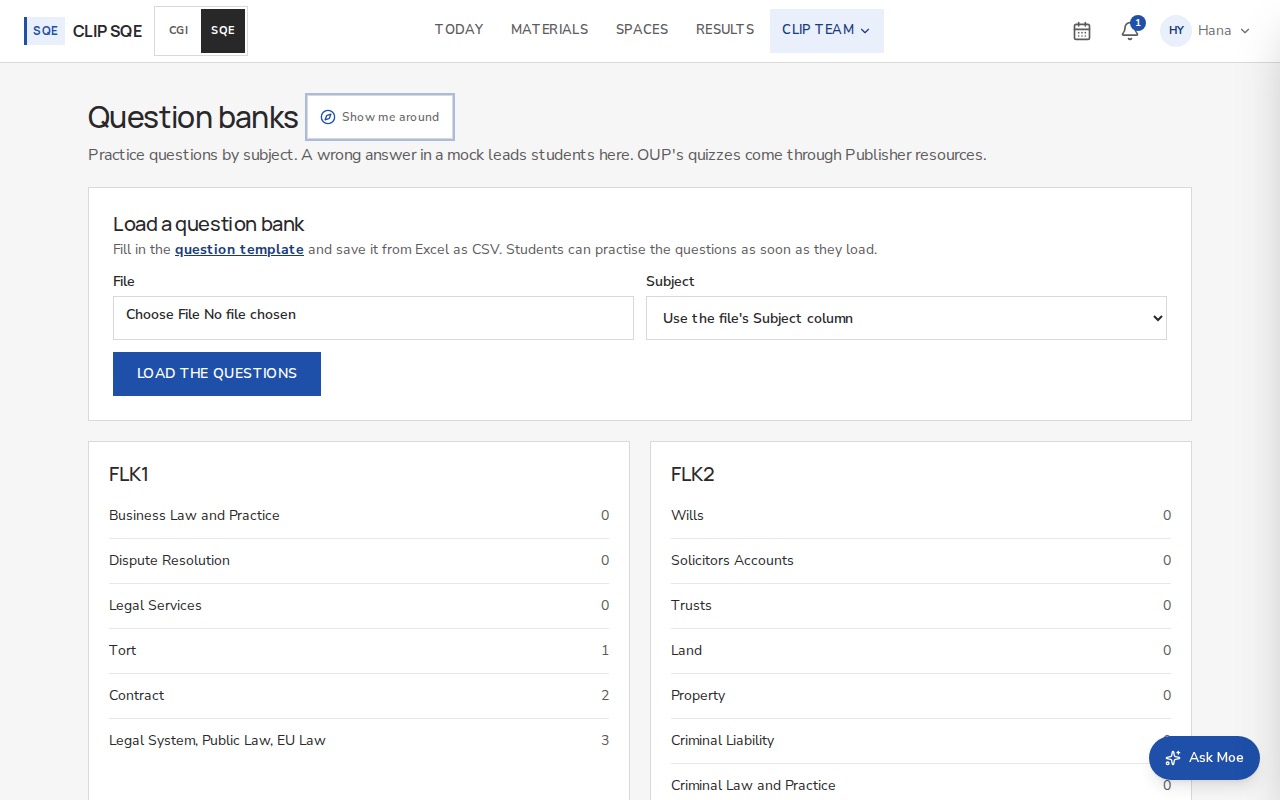
Loading the same file again skips the questions already there. Open a subject to remove a question or add one by hand.
How it reaches students
A student who gets a mock question wrong sees Close the gap: the reading for that subject, more questions from your bank, and a way to keep it as a flashcard. So the more you've loaded for a subject, the more that branch can offer.