Faculty
Today's class, the register, uploads, the shared space and feedback.
Your menu is Today, Materials, Spaces, Results and CLIP team.
Today and the register
Today opens on your current class. Tap Present, Late or Absent for each student. It saves as you tap. For Late, choose how many minutes. Mark everyone else present finishes the rest in one go.
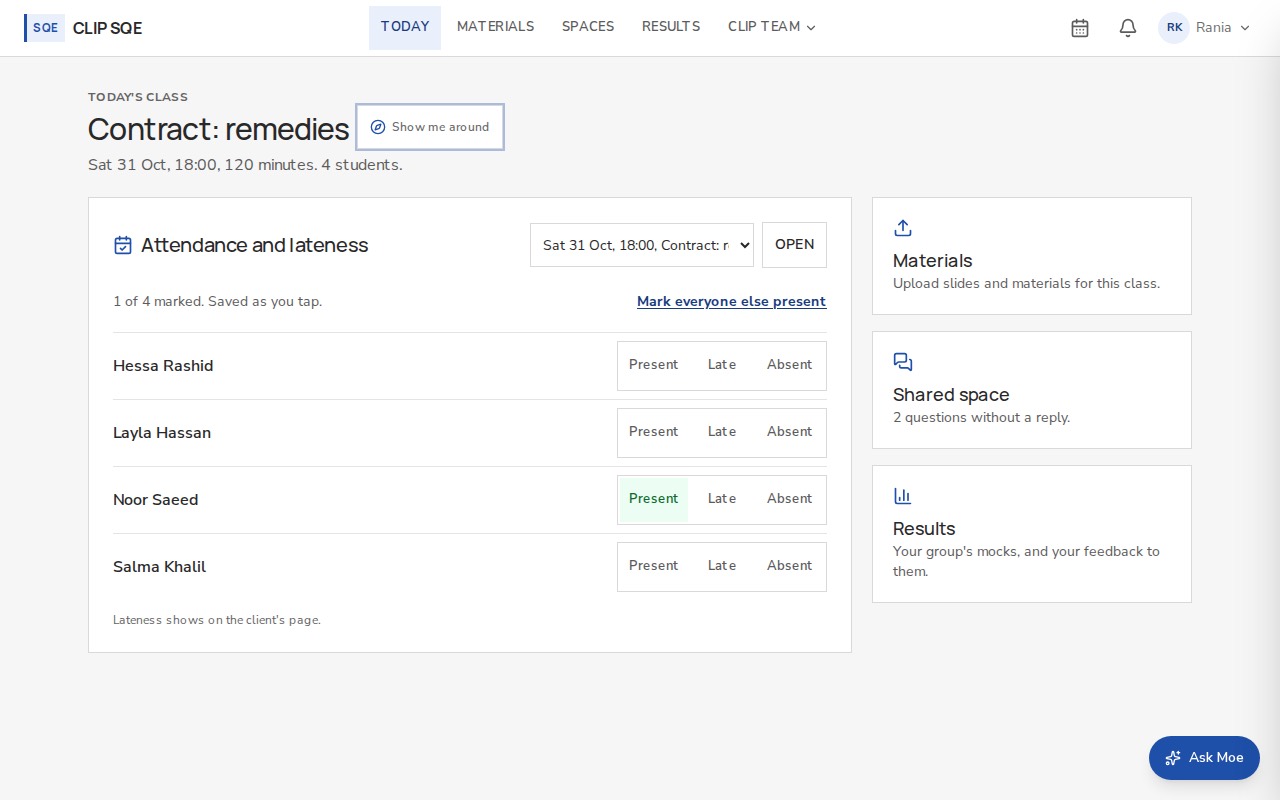
Invented students. Lateness shows on the client's page, so mark it as it happened.
Use the list above the register to go back to an earlier class.
Materials
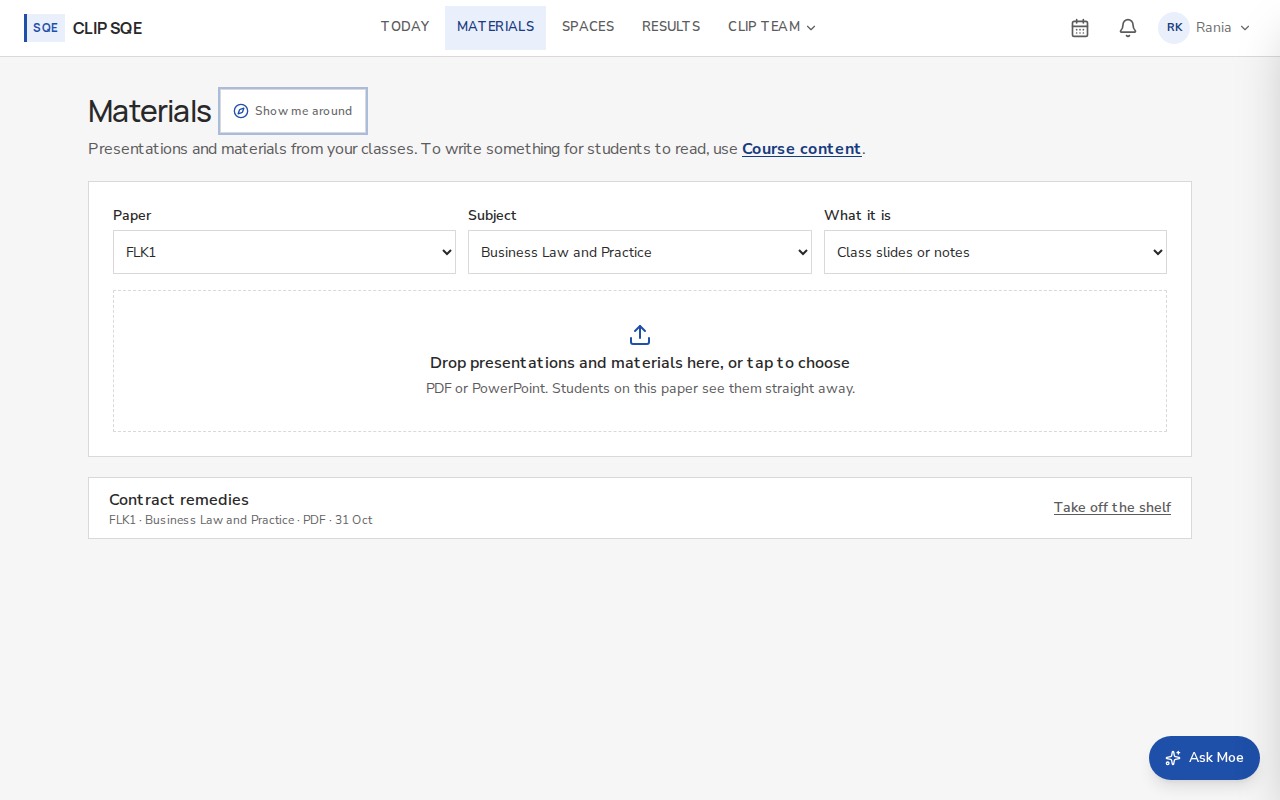
Upload the slides and materials you covered in class. Choose the paper first, so the right students get them. Students see them under Materials.
Spaces
With faculty is where students' questions come to you. Today shows how many are waiting for a reply. Students only is closed to staff: you can't open those threads, even with a link.
Results and feedback
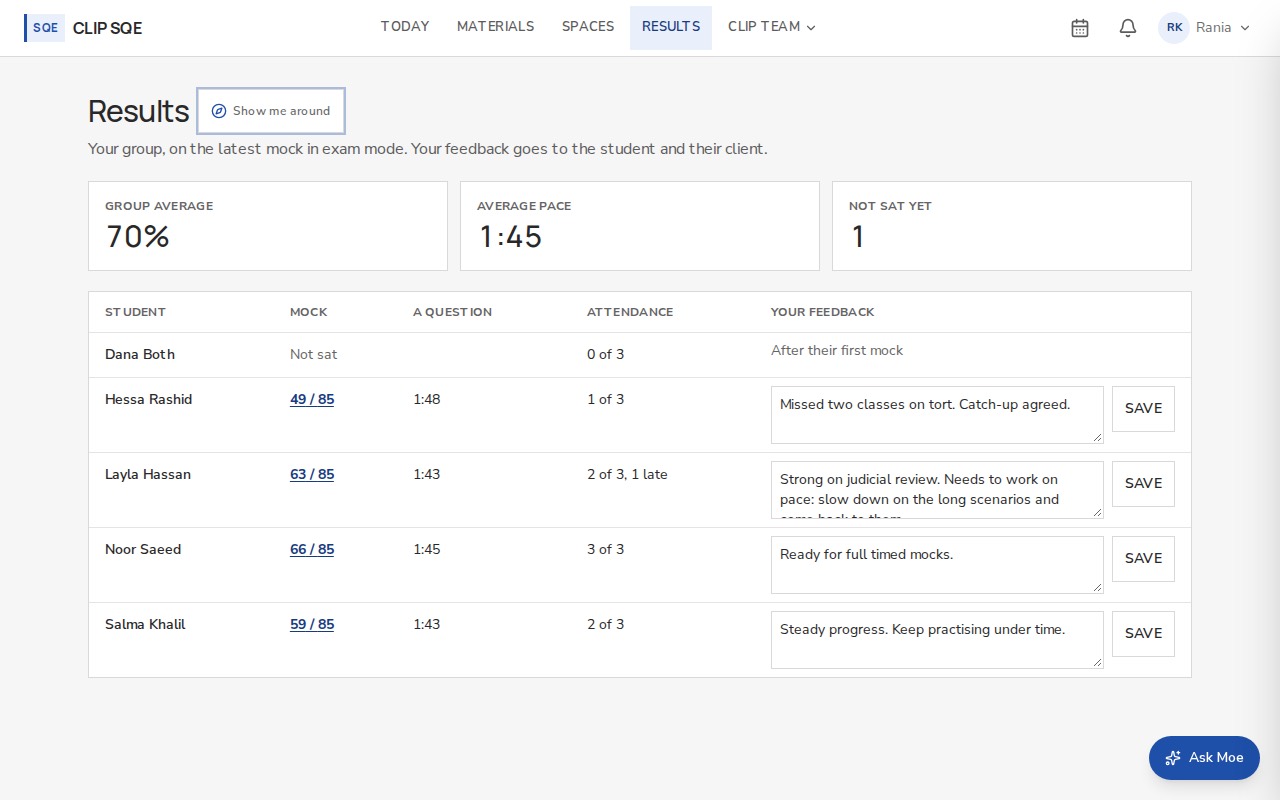
Results shows your group's mocks: scores, pace and topics. Write feedback beside a student's mock. It reaches the student and appears on their client's page.
Calendar
The calendar icon opens your classes. Press Session to add one, or open a class to change it. Students see the change on their calendar.